Every meeting starts with good intentions. Someone promises to take notes, another volunteer agrees to summarize action items, and everyone hopes nothing important gets missed. Yet by the end of the day, details disappear, follow-ups become confusing, and key decisions are buried inside hour-long recordings that nobody has time to revisit.
That frustration has created one of the fastest-growing categories in workplace software: AI meeting assistants. These tools don’t just record conversations anymore. They transcribe discussions in real time, identify action items, summarize key decisions, track speakers, and even integrate directly with project management and CRM platforms. The promise is simple—spend less time documenting meetings and more time acting on what was actually discussed.
But with so many platforms claiming to be the smartest AI meeting assistant, choosing one isn’t as easy as comparing feature lists. Some excel at transcription accuracy, others shine in collaboration, while a few are designed specifically for sales teams or enterprise organizations. The real question isn’t which tool is the most popular. It’s which one delivers genuine value for the way you work.
In this comparison, we’ll look at some of today’s leading AI meeting assistants and explore where each one succeeds, where it falls short, and who should consider using it.
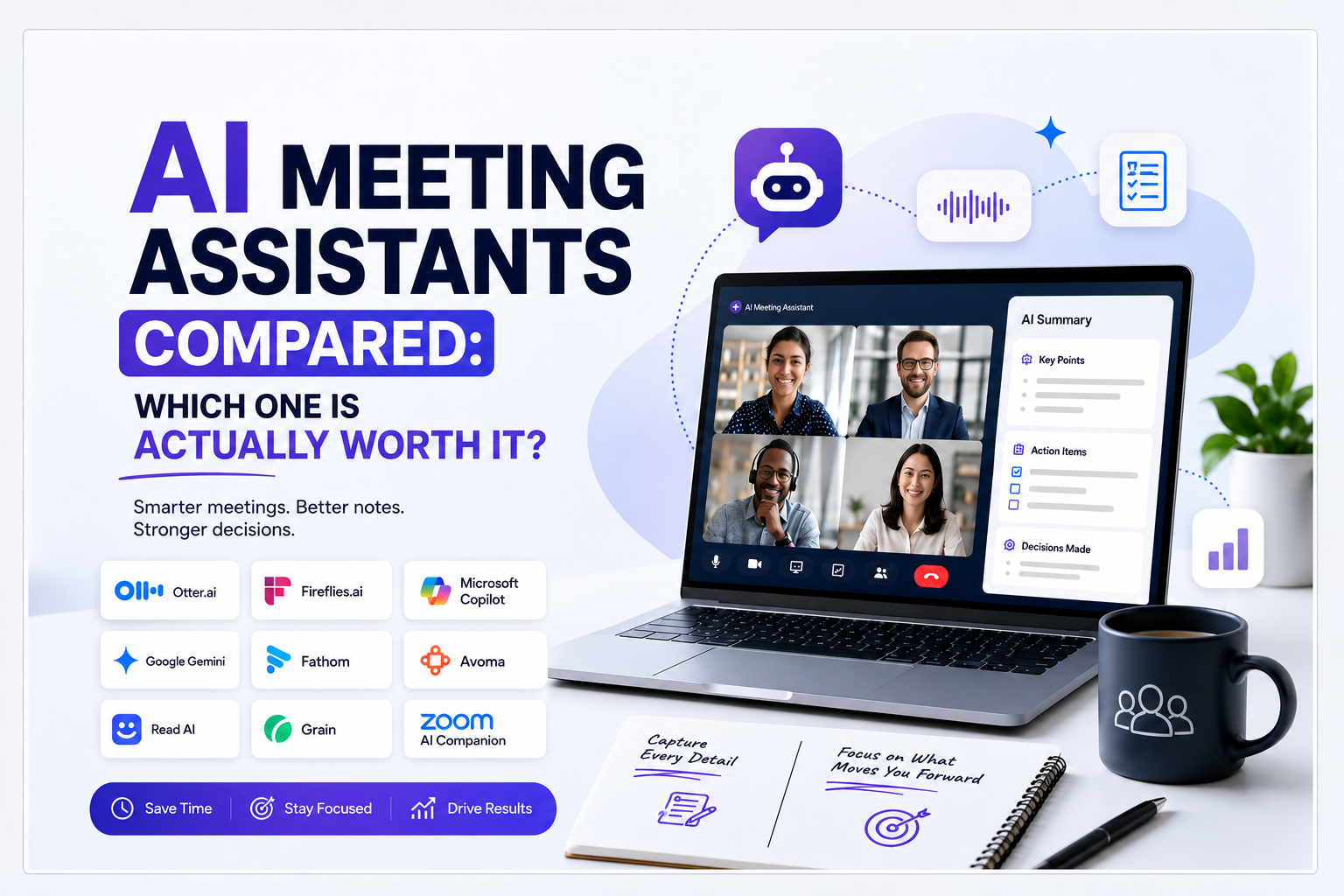
The AI Meeting Assistants Compared
1. Otter.ai
One of the biggest names in this space is Otter.ai, and for good reason. It helped define what AI-powered meeting documentation could look like before many competitors entered the market. Otter.ai focuses on providing highly accurate live transcription while automatically generating summaries that make lengthy meetings easier to revisit.
The platform integrates well with Zoom, Google Meet, and Microsoft Teams, allowing meetings to be captured with minimal effort. For professionals who attend multiple meetings every day, its searchable transcripts are particularly valuable because finding a specific conversation becomes as easy as searching for a keyword instead of replaying an entire recording. While Otter.ai performs exceptionally well in general business conversations, highly technical discussions or overlapping speakers can occasionally affect accuracy.
2. Fireflies.ai
Fireflies.ai has evolved far beyond simple note-taking and has become a complete meeting intelligence platform. Instead of merely recording conversations, it organizes meeting data into searchable knowledge that teams can revisit weeks or even months later.
Its AI-generated summaries are concise, and integrations with Slack, Salesforce, Notion, HubSpot, and many productivity platforms make it attractive for organizations that rely heavily on connected workflows. Sales teams especially appreciate how meeting insights can automatically sync with CRM systems, reducing repetitive manual work. Although the feature set is impressive, new users may need some time to fully understand everything the platform can do.
3. Microsoft Copilot for Teams
For organizations deeply invested in Microsoft’s ecosystem, Microsoft Copilot for Teams offers a completely different experience. Instead of functioning as a separate application, Copilot works directly within Microsoft Teams and Microsoft 365.
It can summarize discussions instantly, identify decisions, answer questions about meetings, and even explain why certain conclusions were reached. Because it understands information across Outlook, SharePoint, Excel, and Teams, it provides context that many standalone meeting assistants cannot easily replicate. Businesses already using Microsoft products extensively may find this integration invaluable.
4. Google Meet Gemini
Google has taken a similar approach with Google Meet Gemini, bringing AI directly into the Google Workspace ecosystem. Gemini can generate meeting summaries, identify action items, and surface relevant files discussed during conversations.
For organizations already working inside Gmail, Google Docs, and Google Drive, this seamless integration reduces friction significantly. Instead of relying on multiple third-party tools, teams can keep their meeting insights within their existing workflow. While Gemini is improving rapidly, businesses looking for advanced sales analytics or deep conversation intelligence may still prefer specialized platforms.
5. Fathom
Among newer AI meeting assistants, Fathom stands out because of its simplicity. Installation takes only a few minutes, and the platform immediately begins recording, transcribing, and summarizing meetings without requiring extensive setup.
Instead of overwhelming users with complex dashboards, Fathom focuses on clean summaries, clear action items, and easily shareable notes. Startups, freelancers, consultants, and smaller teams often appreciate this streamlined approach because they gain immediate value without a steep learning curve.
6. Avoma
Avoma has built a strong reputation among sales teams and customer-facing organizations. While it offers transcription and summaries like many competitors, its greatest strength lies in conversation intelligence.
The platform analyzes customer discussions, identifies objections, tracks speaking patterns, and highlights follow-up opportunities. Managers can review conversations quickly without listening to complete recordings, making coaching and performance improvement significantly easier. Businesses that rely heavily on customer interactions often find Avoma far more valuable than a traditional note-taking tool.
7. Read AI
Read AI approaches meetings from a unique angle by analyzing meeting effectiveness rather than simply documenting conversations.
The platform provides participation metrics, engagement scores, speaking-time analysis, and collaboration insights. This allows organizations to understand whether meetings are actually productive instead of merely measuring attendance. For distributed teams and managers seeking better collaboration, these insights can become extremely valuable over time.
8. Grain
Grain focuses heavily on collaboration and knowledge sharing. Rather than treating meetings as recordings that disappear into archives, Grain makes it easy to capture important clips, create highlights, and share key moments across teams.
This makes it particularly useful for marketing teams, product managers, customer success departments, and organizations that frequently share insights internally. Grain turns meetings into reusable knowledge assets rather than one-time conversations.
9. Zoom AI Companion
For organizations already using Zoom as their primary communication platform, Zoom AI Companion offers one of the most convenient experiences available.
Because the assistant is built directly into Zoom, users can access AI-generated recaps, summaries, and action items without installing additional software. While dedicated meeting assistants may provide deeper analytics, Zoom AI Companion delivers an excellent balance of simplicity, functionality, and convenience for everyday business meetings.
So, Which AI Meeting Assistant Is Actually Worth It?
There isn’t a single winner because there isn’t a single type of user. A freelancer attending client calls has different needs than a sales team conducting hundreds of demos each month. Likewise, an enterprise built entirely around Microsoft 365 will benefit from different features than a startup operating within Google Workspace.
If accurate transcription is your priority, Otter.ai remains one of the strongest options. Teams seeking workflow automation and integrations may prefer Fireflies.ai. Microsoft users will likely gain the most value from Copilot, while Google Workspace organizations will appreciate Gemini. Fathom excels in simplicity, Avoma dominates sales intelligence, Read AI focuses on meeting effectiveness, Grain strengthens collaboration, and Zoom AI Companion offers seamless integration for existing Zoom users.
The future of work is increasingly defined by how effectively information moves from conversations to action. The best AI meeting assistants eliminate repetitive administrative work, improve accountability, and ensure valuable ideas never disappear once a meeting ends.
The real value of these tools isn’t that they take notes for you. It’s that they allow you to stop worrying about taking notes altogether. And in a world where attention is becoming one of our most valuable resources, that might be the most powerful feature of all.